locationjoystick
Change the location your phone reports on Android. Move a floating joystick, replay a saved route, or let the app wander for you, and your other apps keep working like nothing changed.
The app plugs into a location setting built into Android. Turn on Developer Options, pick locationjoystick as the app allowed to set your location, and every app on your phone sees the position you choose.
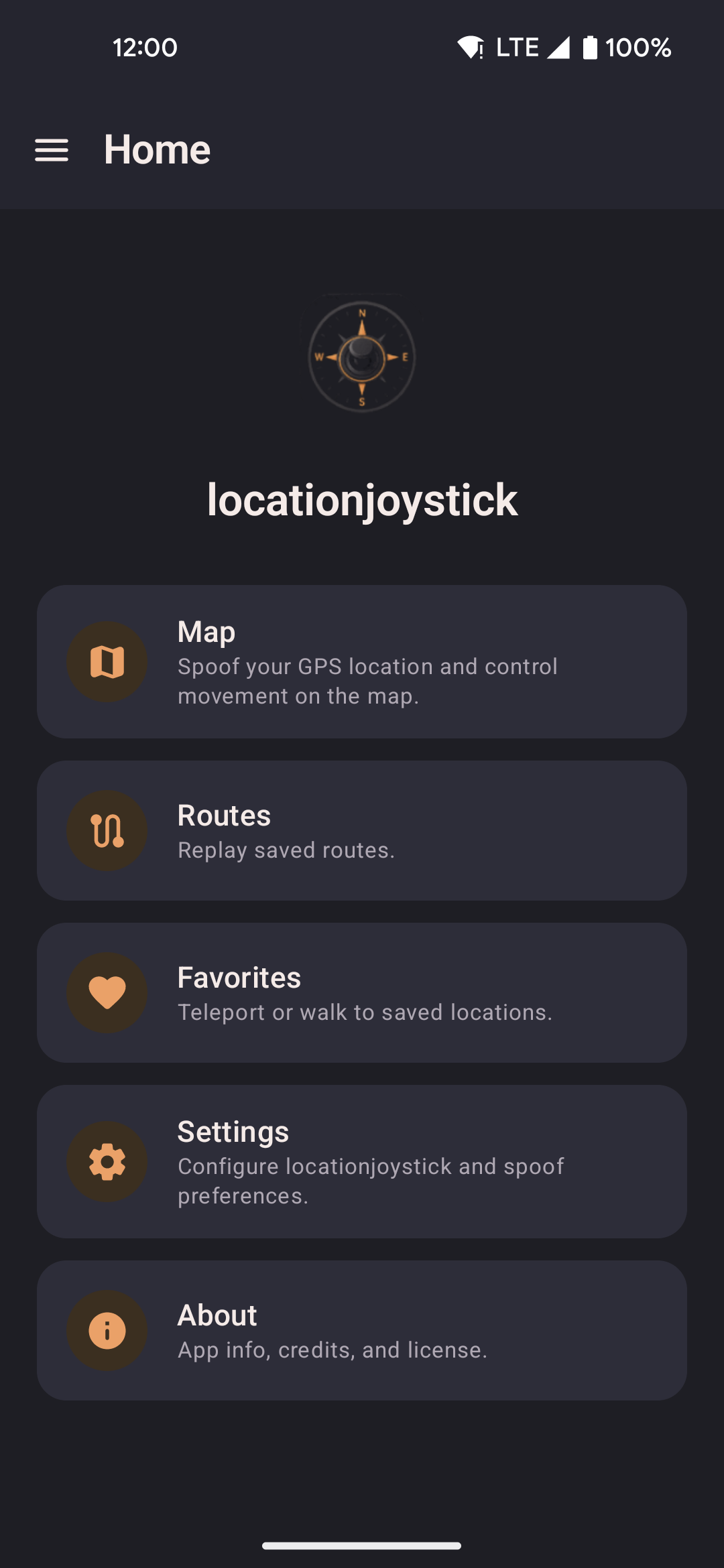
- The Home screen lists every part of the app: Map, Routes, Favorites, Capture, Group Sync, and Settings.
- The button at the top starts and stops location spoofing from any screen. When spoofing is off it also names the place you are about to start from.
Install
- Download the latest APK from GitHub Releases.
- Open the downloaded file. If you see a prompt to "Allow installs from unknown sources", turn it on in Settings for your browser or file manager, then come back and try again.
- You may see an "App scan recommended" message from Google Play Protect. This warning shows up for any app installed outside the Play Store, and it's nothing to worry about. Tap Install without scanning, or scan first if you'd rather. Both work fine.
First-run setup
The first time you open the app, it walks you through three permissions it needs before it can work.
-
Location permission
Grant Precise location so the map can center on where you are and route recording works properly.
-
Overlay permission
Grant Display over other apps to turn on the floating joystick and widget. The app opens the system settings page for you. Turn on locationjoystick in the list, then go back to the app.
-
Mock location provider
Turn on Developer Options on your device (go to Settings, then About phone, then tap Build number seven times), then go to Settings, then Developer Options, then Select mock location app and choose locationjoystick. Tap Check again in the app. It checks the setting and moves you forward automatically once it's correct.
-
All done
Setup finishes and you land on the Map screen, ready to go. You won't see this flow again unless you clear the app's data.
Start changing your location
Tap Map, tap the start button, then long-press anywhere on the map to walk or teleport there. Use the floating widget or joystick to control your location while you're in another app.
Updating
Open the new APK file. Android will ask "Replace app?" and keep your data as it is.
Switching from the Play Store version
The Play Store version and the GitHub version are signed differently, so Android won't let you update directly from one to the other. Export your data first via Settings, Export, then uninstall the Play Store version, install the GitHub APK, and import your data back in.
Home screen badges
Update available. When a newer release exists on GitHub, a small badge such as v1.2.3 available shows on the Home screen. The app checks about once a day when you open it, so it needs an internet connection and quietly does nothing when you're offline. Tap the badge to open that release's page in your browser. Tap the X to hide it without opening anything. Either way, it stays hidden until an even newer version comes out. There is no setting to turn the check off.
What's new. After an update, a second badge on Home lets you see what changed in your current version. Tap it to read the list of new features and fixes. It works offline. Tap the X to dismiss it without reading. It stays hidden until the next version. The full history is on the changelog page.
Source
github.com/shortcuts/locationjoystick. Free, open source, under the MIT license.
See Acknowledgements for the full list of open-source projects and data sources this app is built on.