Backup & Transfer
Save your routes, favorites, and settings to keep them safe or move them to another phone. All actions are in the menu at the top right of Settings.
What is included
Backups contain your routes, favorites, speed profiles, widget setup, location randomness settings, and roaming defaults.
Captured location lists are not backed up. Permissions stay on your phone, so you don't need to repeat setup after a reset.
Back up to a file
- Open Settings and tap the menu at the top right.
- Under Export, tap Export settings.
- Your backup file opens in your file manager. Save it or share it.
Restore from a file
- Open Settings and tap the menu at the top right.
- Under Import, tap Import from file.
- Choose your backup file.
- Choose Add to my data to keep what you have. Or choose Replace all data to use only the backup.
Transfer to another phone
Send your entire setup to another phone with a QR code or short code. Both phones must be on the same Wi-Fi network.
Send with a QR code
- Open Settings and tap the menu at the top right.
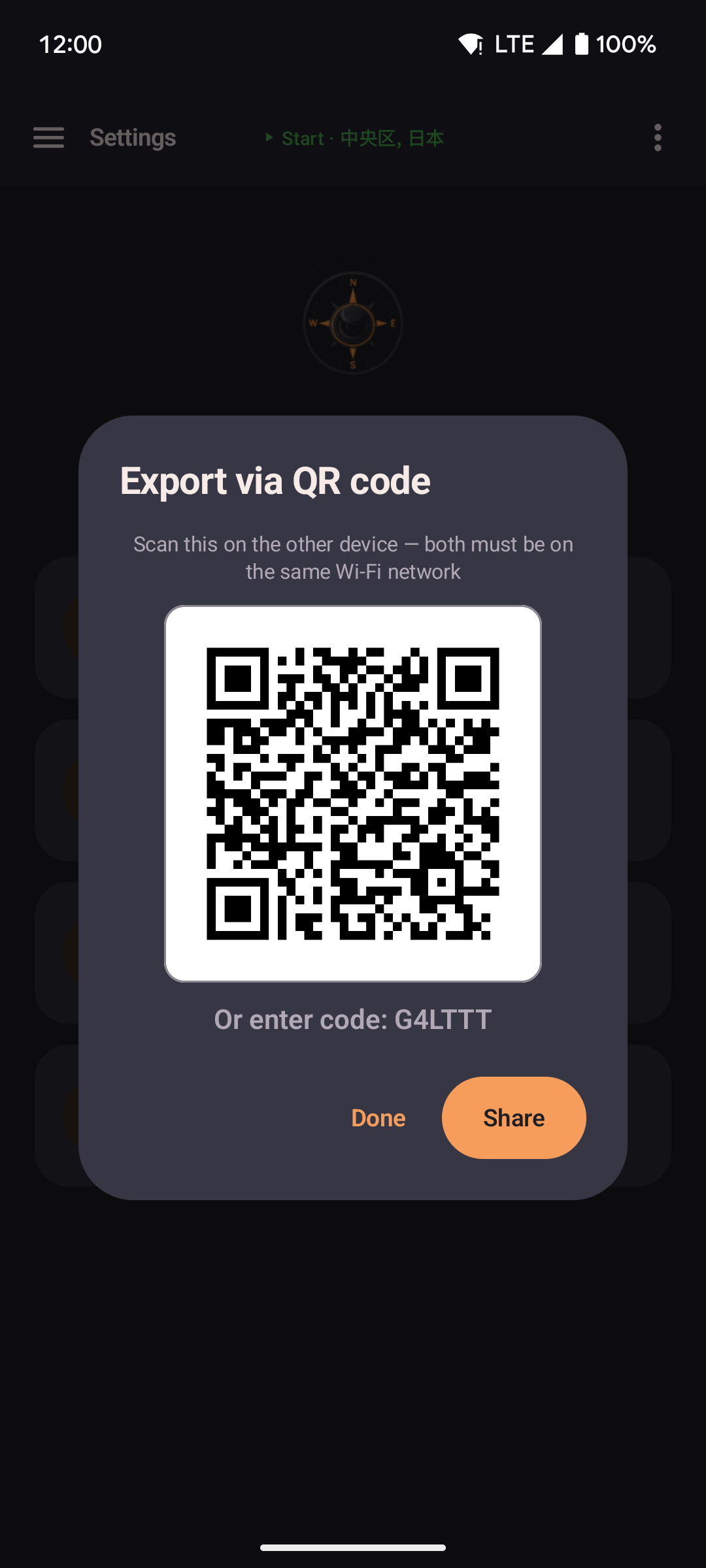
- Under Export, tap Export via QR code.
- A dialog shows your QR code and short backup code. Share these with the other phone.
Receive on the other phone
- Open Settings and tap the menu at the top right.
- Under Import, tap Import from QR code or Import via code.
- Scan the QR code or type the short code from the other phone.
- Choose Add to my data or Replace all data.
Data goes directly between the two devices. See the privacy policy.
If phone hotspots block typed codes, scan the QR code instead.
Import from other apps
| Source | What imports |
|---|---|
| GPS Joystick | Routes and favorites from a GPS Joystick export. GPX files also work: named places become favorites, and each track stays separate. Routes with thousands of points are skipped. Backup files from that app do not work — export GPX instead. |
| YAMLA | Favorites and speed profiles from a YAMLA export file. |
Reset all data
Permanently delete all your favorites, routes, and settings without needing Android's system settings.
- Open Settings and tap the menu at the top right.
- Under Danger, tap Reset all data.
- Confirm the action. It cannot be undone.
Permissions stay on your phone, so you don't need to repeat setup.